

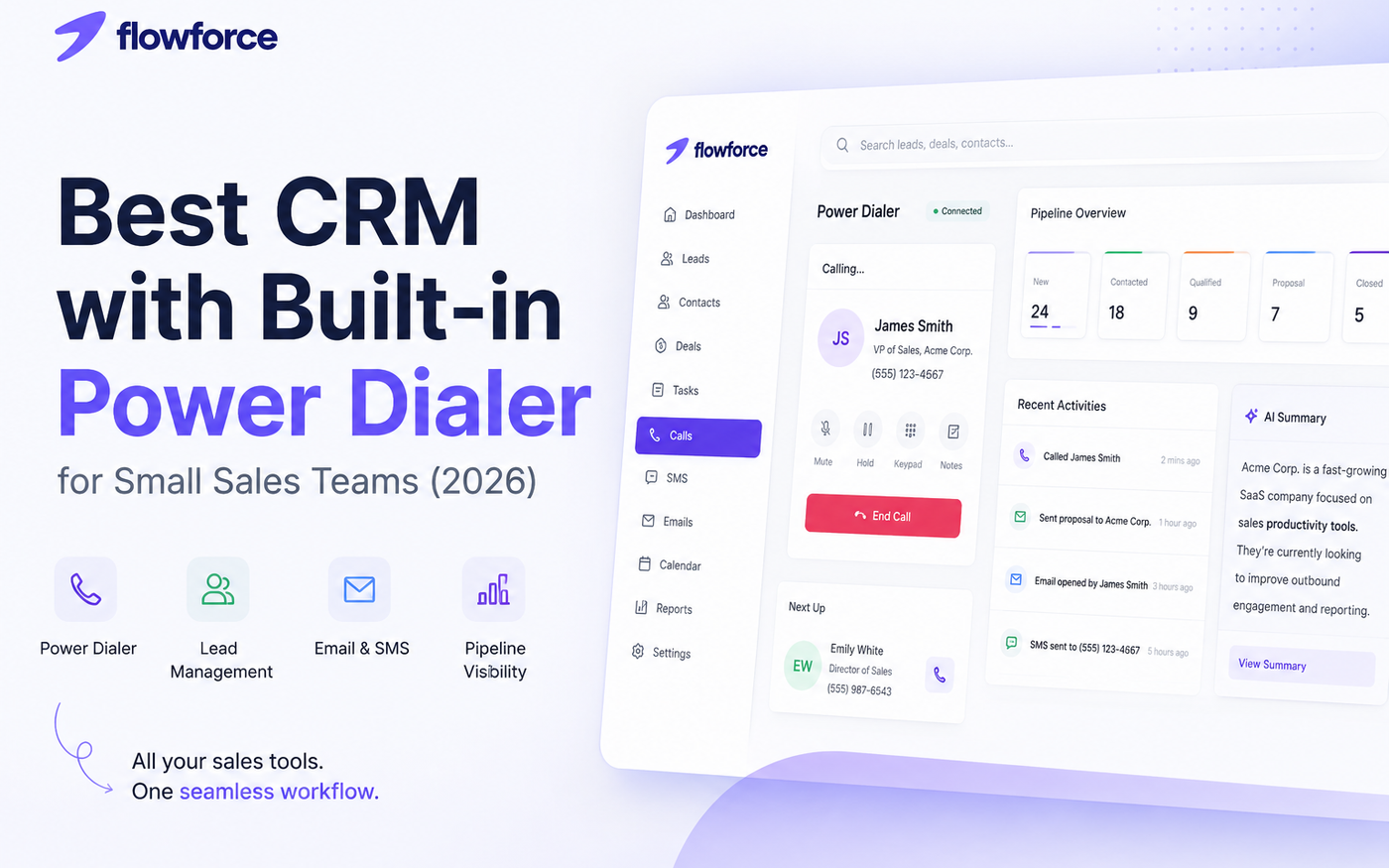
Best CRM With Built-In Power Dialer for Small Sales Teams in 2026
Sales teams move fast. But many CRMs still force reps to switch between tabs just to make calls, update records, and follow up with leads.
That workflow slows teams down.
In 2026, the best CRM with built-in power dialer is not just about making calls. It is about helping small sales teams manage communication, leads, and pipelines from one workspace.
Instead of juggling separate apps for calling, CRM updates, and follow-ups, modern teams are moving toward all-in-one sales platforms.
Sales reps lose momentum every time they switch between a CRM and a separate dialer. Keeping calls, notes, and follow-ups in one workspace improves speed and consistency.
What Is a CRM With a Built-In Power Dialer?
A CRM with a built-in power dialer allows sales reps to call leads directly from the CRM without using separate phone software.
A power dialer automatically moves reps through a queue of leads one call at a time. This helps teams increase outbound activity while keeping notes, call history, and lead context connected inside the CRM.
With a built-in power dialer, reps can:
- Call leads directly from the browser
- Automatically log calls
- Track outcomes and notes
- View lead history during conversations
- Move through call queues faster
- Follow up immediately after calls
This creates a smoother workflow for outbound sales teams.
Why Small Sales Teams Need a CRM With Built-In Power Dialer
Small sales teams cannot afford slow workflows.
Every extra tab, manual update, or disconnected tool reduces productivity and creates friction during outreach.
A CRM with built-in power dialer helps teams work faster by centralizing communication and lead management.
Less Tab Switching
Reps stay inside one platform instead of switching between CRMs, dialers, and spreadsheets.
Faster Call Sessions
Power dialers reduce downtime between calls so reps can maintain momentum during outbound sessions.
Better Lead Context
Reps can view:
- Previous emails
- Notes
- Deal stages
- SMS conversations
- Meeting history
Without leaving the call screen.
Automatic Activity Tracking
Manual call logging wastes time and often creates incomplete CRM records.
Integrated calling automatically tracks activities and improves pipeline visibility.
Easier Follow-Ups
After a call, reps can immediately:
- Send emails
- Schedule meetings
- Update deal stages
- Add notes
- Trigger follow-up actions
From the same platform.
A CRM with built-in power dialer should automatically log calls and activities. Manual logging creates incomplete pipeline data and inaccurate reporting.
Problems With Separate Dialers and CRMs
Many sales teams still use disconnected systems for communication and CRM management.
For example:
- CRM for lead tracking
- Separate VoIP software for calling
- Another tool for SMS
- Separate inbox for emails
This creates operational problems.
Lost Context
Reps lose important details when switching between multiple systems.
Slower Workflow
Every extra click before a call reduces efficiency.
Poor Reporting
Disconnected systems make it harder for managers to track:
- Rep activity
- Calls completed
- Follow-up performance
- Pipeline movement
Inconsistent CRM Data
Manual updates often result in incomplete records and inaccurate pipeline reporting.
For small sales teams, these inefficiencies become expensive over time.
Features to Look For in the Best CRM With Built-In Power Dialer
Not every sales CRM with dialer is designed for modern workflows.
Here are the most important features to look for in 2026.
Browser-Based Calling
The best platforms allow reps to call directly from the browser without external hardware or separate applications.
Automatic Call Logging
Every call should automatically create activity records linked to leads and deals.
Power Dialer Queues
Sales reps should be able to generate call queues from:
- Lead filters
- Campaigns
- Saved lists
- Pipeline stages
SMS Integration
Modern sales communication goes beyond calls.
Built-in SMS keeps conversations centralized inside the CRM.
AI Assistance
AI tools can help reps generate:
- Lead summaries
- Email drafts
- Follow-up suggestions
- Research insights
Pipeline Visibility
Managers need real-time visibility into:
- Active deals
- Rep performance
- Pipeline health
- Forecasting trends
Email and Calendar Sync
The best CRM platforms combine calling with:
- Email integration
- Meeting scheduling
- Calendar sync
- Follow-up workflows
Browser-based calling removes the need for separate desk phones or external calling software, making setup easier for remote sales teams.
Why Browser-Based Calling Matters
Traditional phone systems create unnecessary friction.
Browser-based calling removes the need for separate hardware, desk phones, or external dialer software.
This matters because modern sales teams prioritize speed and simplicity.
With browser-based calling, reps can:
- Start calls instantly
- Work remotely
- Use one interface
- Reduce setup complexity
- Keep communication tied to CRM records
For small teams, simplicity often leads to better adoption and higher productivity.
How Flowforce Helps Small Sales Teams
Flowforce is designed for modern sales workflows.
Instead of separating CRM, calling, SMS, email, and AI tools across multiple platforms, Flowforce combines them into one workspace.
Teams can:
- Manage leads and deals
- Call directly from the browser
- Send emails and SMS
- Automatically track activities
- Use AI-generated summaries and drafts
- Manage follow-ups from one dashboard
Flowforce helps reduce tab switching by centralizing communication and pipeline management in a single platform.
Key capabilities include:
- Browser-based calling
- Lead and deal management
- AI-powered sales assistance
- SMS messaging
- Email campaigns
- Calendar and meeting tools
- Team performance tracking
Small sales teams benefit from having communication and CRM workflows connected in one place.
Ready to Simplify Your Sales Workflow?
Flowforce combines CRM, calling, SMS, email, and AI tools into one modern sales workspace for small teams.
Final Thoughts
The best CRM with built-in power dialer for small sales teams is not only about increasing call volume.
It is about reducing friction across the entire sales process.
In 2026, sales teams need platforms that combine:
- CRM
- Calling
- SMS
- AI assistance
- Pipeline management
Into one connected workspace.
Teams that reduce tool switching and centralize communication will move faster, follow up better, and maintain healthier pipelines.