Before you begin
Sign in at app.flowforce.app. Your workspace is shared with your team — contacts or leads, cadences, and settings live here, not on your personal device.
Use the same labels you see in the sidebar when you search help or ask Flow in the app.

Main sidebar areas
The sidebar says Schedule. The address bar shows /dashboard/calendar — both are the same place.
- Dashboard — home, recents, tasks, and the setup checklist
- Inbox — email conversations from connected mailboxes
- Schedule — calendar, meetings, tasks, and cadence steps (URL: /dashboard/calendar)
- Contacts or Leads — real estate workspaces say Contacts; other industries say Leads
- Listings — property records for real estate workspaces
- Deals — revenue opportunities and closing work
- Cadences, Campaigns, Dialer, AI Agents — outreach
- Performance, Transactions, Services, Integrations — insights and connections
- Profile and Referrals — your account and invite rewards
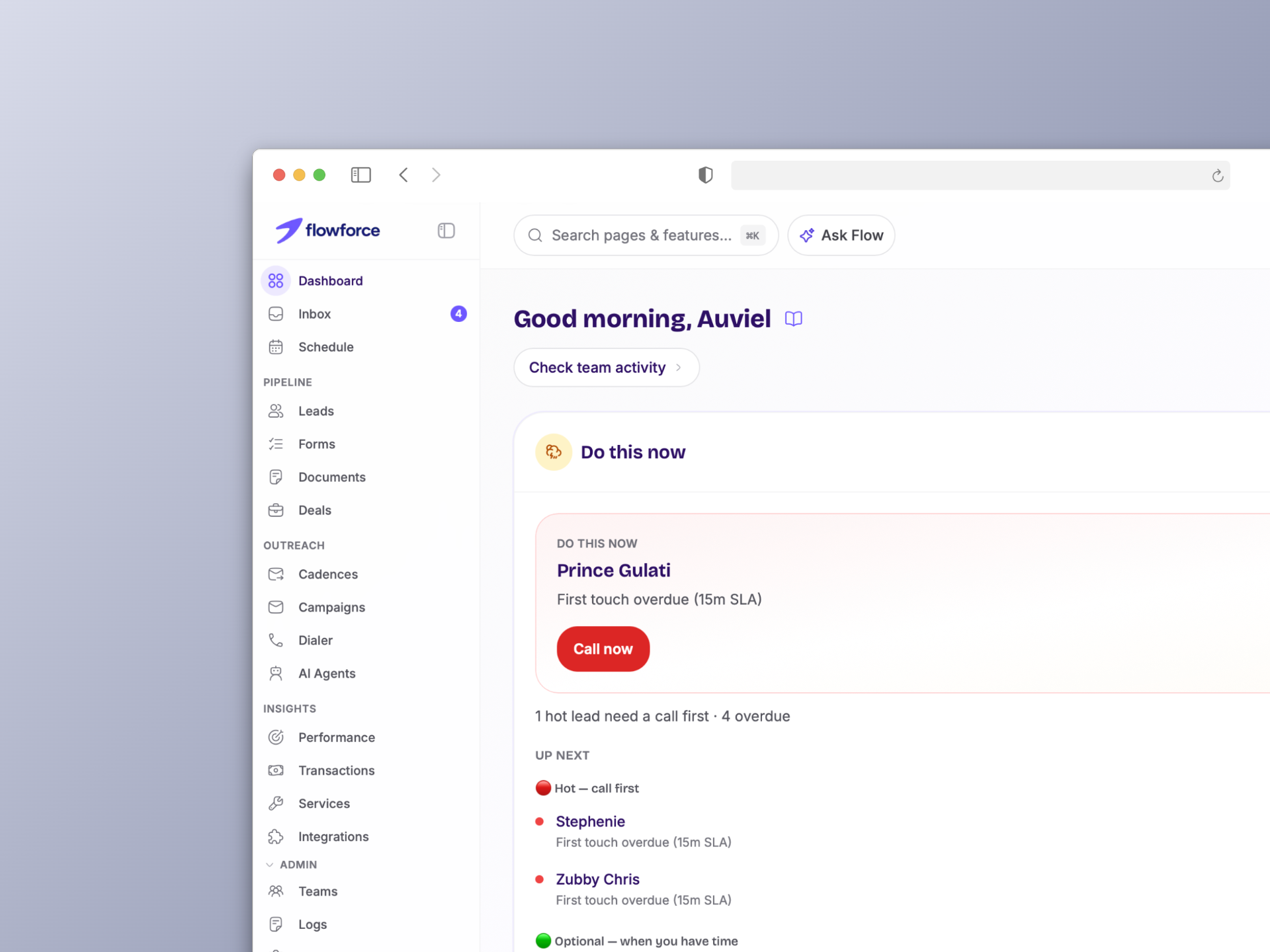

Header tools
- Command palette / search — jump to a page by name (e.g. Integrations, Schedule)
- Flow chat — ask how-to questions; answers use the same help labels as this site
- Help menu — docs home and contact support
AI Mode (list filters)
On **Contacts / Leads**, **Deals**, **Schedule**, and other list pages, turn on **AI Mode** next to the search box to filter in plain English.
- Full guide → /docs/workspace/ai-mode-search/
What happens next
Follow the Quick start checklist on Dashboard or open Integrations to connect calendar and email.
- Quick start checklist → /docs/getting-started/quick-start-checklist/
- Connect email and calendar → /docs/getting-started/connect-email-and-calendar/
What you should see
You should know where daily work lives, which sidebar label applies to your workspace, and where to go next when you need email, calendar, contacts, leads, deals, listings, cadences, or settings.