Choosing a CRM can feel overwhelming. A quick search reveals hundreds of platforms, thousands of features, and countless promises about increasing sales and improving customer relationships.
The reality is that most small businesses don't need the most advanced CRM. They need the right CRM.
Before you commit to a new platform, use this checklist to evaluate your needs, avoid expensive mistakes, and find a solution that supports your business today and as it grows.
Why Many Small Businesses Choose the Wrong CRM
Many CRM purchases fail because businesses focus on features instead of outcomes.
Common mistakes include:
- Buying software that is too complex
- Paying for features that never get used
- Choosing tools with poor user adoption
- Ignoring future growth requirements
- Failing to consider team workflows
A successful CRM should make work easier, not create more work.
If you're still deciding between a lightweight contact tool and a full CRM, start with customer management software vs CRM.
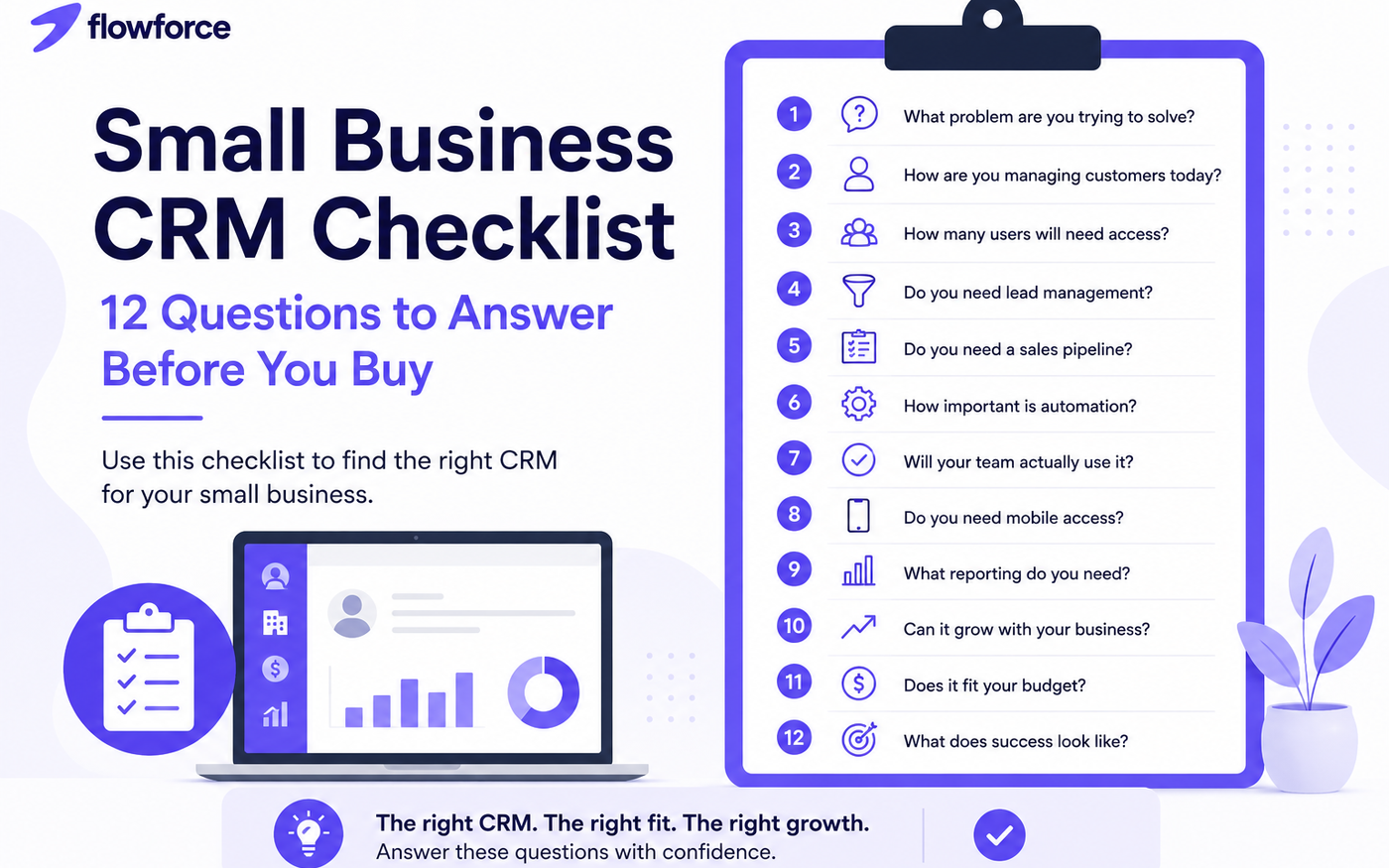
CRM Buying Checklist: 12 Questions to Answer Before You Buy
1. What Problem Are You Trying to Solve?
Start with the reason you're shopping for a CRM.
Common goals include:
- Organizing contacts
- Tracking leads
- Improving follow-ups
- Managing pipelines
- Increasing sales visibility
- Replacing spreadsheets
If you cannot clearly define the problem, it will be difficult to choose the right solution.
2. How Are You Managing Customers Today?
Evaluate your current process.
Are you using:
- Spreadsheets?
- Email folders?
- Paper notes?
- Multiple disconnected apps?
Understanding your current workflow helps identify the gaps a CRM should fill.
3. How Many Users Will Need Access?
Some CRM platforms charge significantly more as teams grow.
Consider:
- Current team size
- Expected growth over the next 12–24 months
- Different permission levels
The right CRM should support your team as it scales.
4. Do You Need Lead Management?
Not every business actively manages leads.
However, if prospects move through a sales process, your CRM should help you:
- Capture leads
- Track progress
- Assign ownership
- Monitor follow-ups
Without lead management, opportunities often get lost.
5. Do You Need a Sales Pipeline?
A pipeline provides visibility into every opportunity.
Ask yourself:
- Can you easily see where deals stand?
- Can managers track progress?
- Can you forecast revenue?
A visual pipeline often becomes one of the most valuable CRM features.
6. How Important Is Automation?
Manual tasks consume valuable time.
Look for automation that can:
- Create reminders
- Assign tasks
- Update statuses
- Trigger follow-ups
- Route leads
Automation improves consistency and reduces administrative work.
7. Will Your Team Actually Use It?
The best CRM is the one your team adopts.
Evaluate:
- Ease of use
- Interface simplicity
- Training requirements
- Setup complexity
A simple system used daily often delivers more value than a powerful system nobody uses.
8. Do You Need Mobile Access?
Many businesses operate outside the office.
Mobile access allows teams to:
- Update records
- Add notes
- Track activities
- Review customer history
from anywhere.
9. What Reporting Do You Need?
Good reporting helps you make better decisions.
Identify which metrics matter most:
- Leads generated
- Deals won
- Revenue forecasts
- Team activity
- Conversion rates
Avoid paying for reporting features you'll never use.
10. Can It Grow With Your Business?
Switching CRM platforms can be expensive and disruptive.
Choose a system that can support:
- More customers
- More users
- More workflows
- More reporting needs
Scalability should be part of your decision from day one.
11. Does It Fit Your Budget?
Look beyond monthly subscription costs.
Consider:
- Setup costs
- Training expenses
- Additional user fees
- Integration costs
- Future upgrades
The cheapest option isn't always the most affordable long term.
12. What Does Success Look Like?
Before purchasing, define measurable goals.
Examples include:
- Reduce missed follow-ups by 50%
- Increase lead response speed
- Improve sales visibility
- Eliminate spreadsheets
- Increase conversion rates
Clear goals make it easier to evaluate success after implementation.
CRM Evaluation Scorecard
Use the following scorecard when comparing vendors. Rate each area from 1 (poor fit) to 5 (excellent fit).
| Evaluation Area | Score (1–5) |
|---|---|
| Ease of Use | |
| Contact Management | |
| Lead Tracking | |
| Pipeline Management | |
| Automation | |
| Reporting | |
| Mobile Access | |
| Team Collaboration | |
| Scalability | |
| Pricing | |
| Support | |
| Overall Fit |
A CRM that scores highly across the categories most important to your business is likely a strong candidate.
For a feature-by-feature reference, see our guide to client management software for small businesses — it covers the 12 capabilities worth scoring first.
Warning Signs a CRM Is Not Right for Your Business
Be cautious if:
- Setup feels overwhelming
- Essential features require expensive upgrades
- Pricing is unclear
- User adoption seems difficult
- Workflows feel overly complicated
- Reporting is difficult to understand
These issues often become bigger problems after implementation.
What Most Small Businesses Actually Need
Most growing businesses succeed with a CRM that provides:
- Contact management
- Lead tracking
- Sales pipelines
- Task management
- Basic automation
- Reporting
- Team collaboration
Everything else should support those core functions.
Compare how top platforms stack up in our best CRM for small business roundup, or review FlowForce docs for how pipeline, cadences, and dialer work together.
How FlowForce Helps Small Businesses Simplify CRM Adoption
FlowForce was built for businesses that have outgrown spreadsheets but don't want the complexity of enterprise CRM systems.
With FlowForce, teams can:
- Organize contacts
- Track leads and opportunities
- Manage pipelines
- Automate follow-ups
- Monitor team activity
- Gain visibility into sales performance
without spending weeks on setup or training.
Frequently Asked Questions
What is a CRM checklist?
A CRM checklist is a structured framework that helps businesses evaluate CRM software before making a purchase decision.
What is the most important CRM feature?
For most small businesses, contact management, lead tracking, and sales pipeline visibility are the most important features. See 12 must-have client management features for a detailed breakdown.
How long does CRM implementation take?
Simple CRM systems can often be implemented in days, while more complex platforms may require weeks or months.
Should a small business invest in a CRM?
If you're managing customers, leads, or sales opportunities in spreadsheets, a CRM can significantly improve organization and efficiency.
Ready to Find the Right CRM?
Before investing in another tool, make sure it solves the problems that matter most to your business.
Explore FlowForce and discover a CRM designed specifically for growing businesses that need simplicity, visibility, and better customer management.