Managing clients with spreadsheets may work when you're first starting out, but it quickly becomes difficult as your business grows. Missed follow-ups, scattered customer information, and inconsistent communication can lead to lost opportunities and frustrated clients.
Modern client management software helps small businesses organize customer information, streamline communication, and improve team productivity without adding unnecessary complexity.
In this guide, we'll cover the most important features to look for in client management software in 2026 and how to choose a platform that supports your business as it grows.
What Is Client Management Software?
Client management software is a tool that helps businesses store, organize, and manage client information from a central location.
Instead of relying on spreadsheets, notebooks, or disconnected apps, businesses can use a client management system to:
- Store contact information
- Track client interactions
- Manage tasks and follow-ups
- Monitor opportunities
- Improve team collaboration
- Maintain a complete client history
For many small businesses, client management software becomes the foundation of stronger customer relationships and more efficient operations.
Not sure how this differs from a full CRM? Read customer management software vs CRM before you buy.
Why Small Businesses Need Better Client Management in 2026
Customer expectations continue to rise.
Clients expect:
- Faster responses
- Personalized communication
- Consistent service
- Easy follow-ups
- Better overall experiences
At the same time, small businesses must compete with larger organizations that have dedicated sales and support teams.
The right software helps level the playing field by keeping every client interaction organized and accessible.
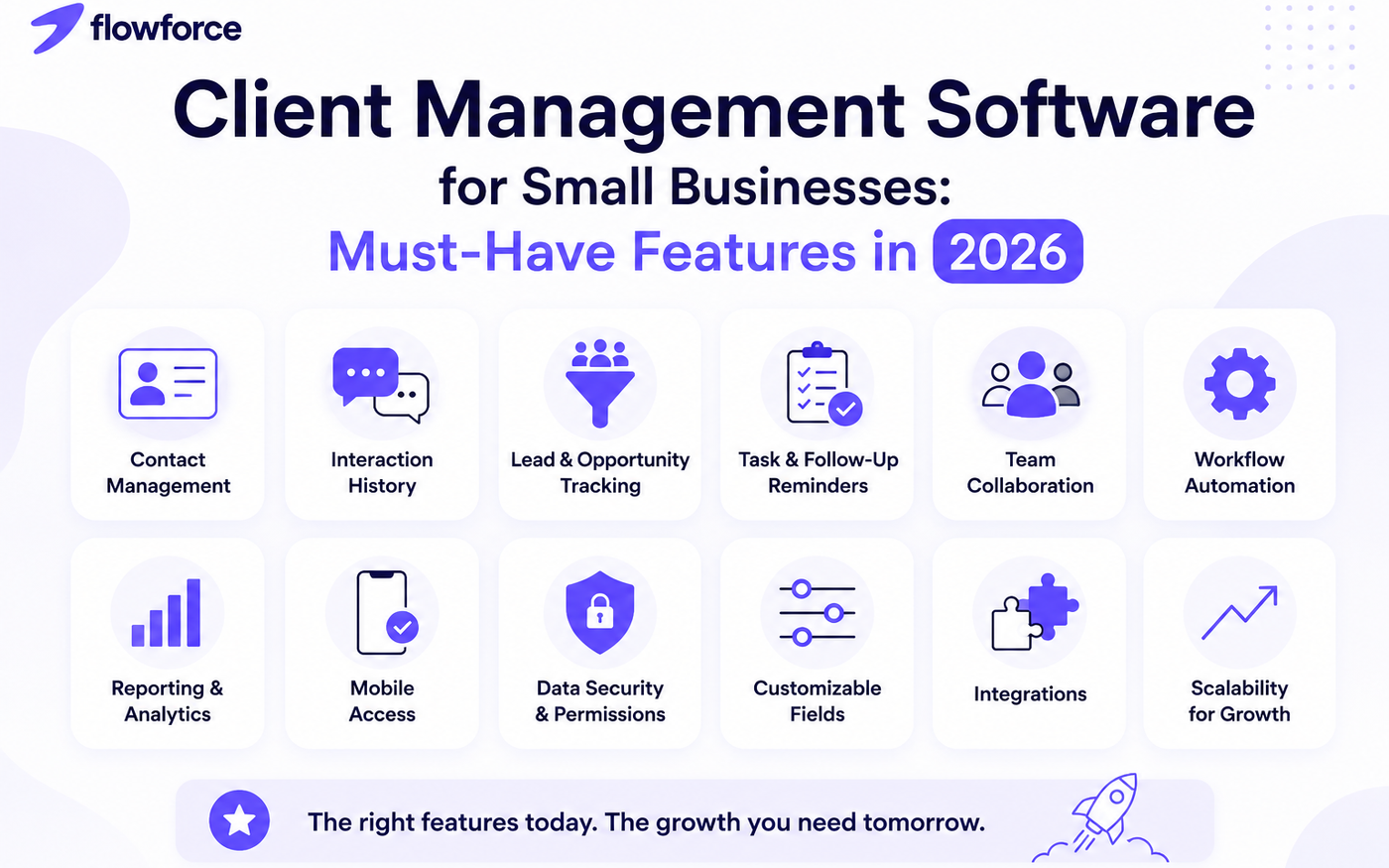
12 Must-Have Features in Client Management Software
1. Centralized Contact Management
Every client record should be stored in one place.
Look for the ability to save:
- Names
- Phone numbers
- Email addresses
- Company information
- Notes
- Custom fields
Having a complete client profile eliminates duplicate records and reduces time spent searching for information.
2. Interaction History Tracking
Every conversation matters.
Your software should automatically track:
- Calls
- Emails
- Meetings
- Notes
- Activities
A complete history allows your team to understand previous interactions before contacting a client.
3. Lead and Opportunity Tracking
Many small businesses lose revenue because leads are forgotten.
A good system should help you:
- Track inquiries
- Monitor sales opportunities
- Prioritize follow-ups
- View deal progress
This creates accountability and prevents leads from slipping through the cracks.
4. Sales Pipeline Management
Visual pipelines make it easier to understand where potential clients are in the buying process.
A pipeline should help you:
- Track deals
- Identify bottlenecks
- Forecast revenue
- Prioritize activities
For growing businesses, this is often one of the most valuable features.
5. Task and Follow-Up Reminders
Following up at the right time can make the difference between winning and losing business.
Look for software that allows you to:
- Create tasks
- Set due dates
- Assign responsibilities
- Receive reminders
This helps ensure no client is forgotten.
6. Team Collaboration Tools
When multiple people interact with clients, communication becomes critical.
Collaboration features should include:
- Shared notes
- Activity timelines
- Task assignments
- Internal comments
Everyone stays aligned without relying on long email chains.
7. Customizable Client Fields
Every business collects different information.
A flexible system should allow custom fields for:
- Industry
- Service type
- Renewal dates
- Lead source
- Contract information
This keeps your database relevant to your business needs.
8. Automation Capabilities
Automation saves time and improves consistency.
Examples include:
- Follow-up reminders
- Task creation
- Status updates
- Lead assignments
- Workflow triggers
Automation reduces repetitive administrative work and allows teams to focus on customers.
9. Reporting and Analytics
You cannot improve what you do not measure.
Look for reporting on:
- New clients
- Lead sources
- Pipeline value
- Team performance
- Activity metrics
Good reporting helps identify opportunities for growth.
10. Mobile Accessibility
Business does not stop when you're away from your desk.
Mobile access allows teams to:
- Update records
- Add notes
- Review client information
- Complete follow-ups
from anywhere.
11. Data Security and Permissions
Client information is one of your most valuable assets.
Software should provide:
- Secure data storage
- User permissions
- Access controls
- Activity tracking
Protecting customer data builds trust and reduces risk.
12. Scalability
The software you choose today should still support your business next year.
Look for a solution that can grow with:
- More clients
- More team members
- More workflows
- More reporting needs
Choosing scalable software helps avoid expensive migrations later.
Features Small Businesses Often Pay For But Rarely Use
Many platforms market hundreds of features.
However, most small businesses do not need:
- Complex enterprise forecasting
- Advanced AI scoring systems
- Multi-region compliance tools
- Extensive custom development requirements
Focus on tools that improve day-to-day operations rather than features that add complexity.
How to Evaluate Client Management Software
Before making a decision, ask:
- Is the system easy to use?
- Can my team adopt it quickly?
- Does it improve visibility into client relationships?
- Can it automate repetitive work?
- Will it scale with my business?
- Does it fit my budget?
The best software is not necessarily the one with the most features. It is the one your team will consistently use.
Compare ranked options in our best CRM for small business guide, or review FlowForce product docs for how cadences, dialer, and pipeline work together.
How FlowForce Helps Small Businesses Manage Clients More Effectively
FlowForce was designed for growing businesses that need more than spreadsheets but less complexity than traditional enterprise CRM platforms.
With FlowForce, teams can:
- Organize contacts
- Track client interactions
- Manage opportunities
- Monitor pipelines
- Automate follow-ups
- Collaborate more effectively
All from a single platform designed to keep customer information organized and actionable.
Frequently Asked Questions
What is client management software?
Client management software helps businesses organize customer information, track interactions, manage follow-ups, and improve client relationships from a centralized platform.
Is client management software the same as CRM?
Client management software focuses on organizing and managing client information, while CRM systems often include additional sales, pipeline, automation, and reporting features.
What is the best client management software for small businesses?
The best solution depends on your business size, sales process, and growth goals. Start with our CRM for small business comparison and look for software that combines ease of use, automation, collaboration, and scalability.
Can small businesses benefit from client management software?
Yes. Even small teams can improve organization, customer communication, and productivity by using a dedicated client management platform.
Stop Managing Clients in Spreadsheets
If your team is spending more time searching for customer information than building customer relationships, it may be time for a better system.
See how FlowForce helps small businesses organize clients, manage opportunities, and grow with confidence.