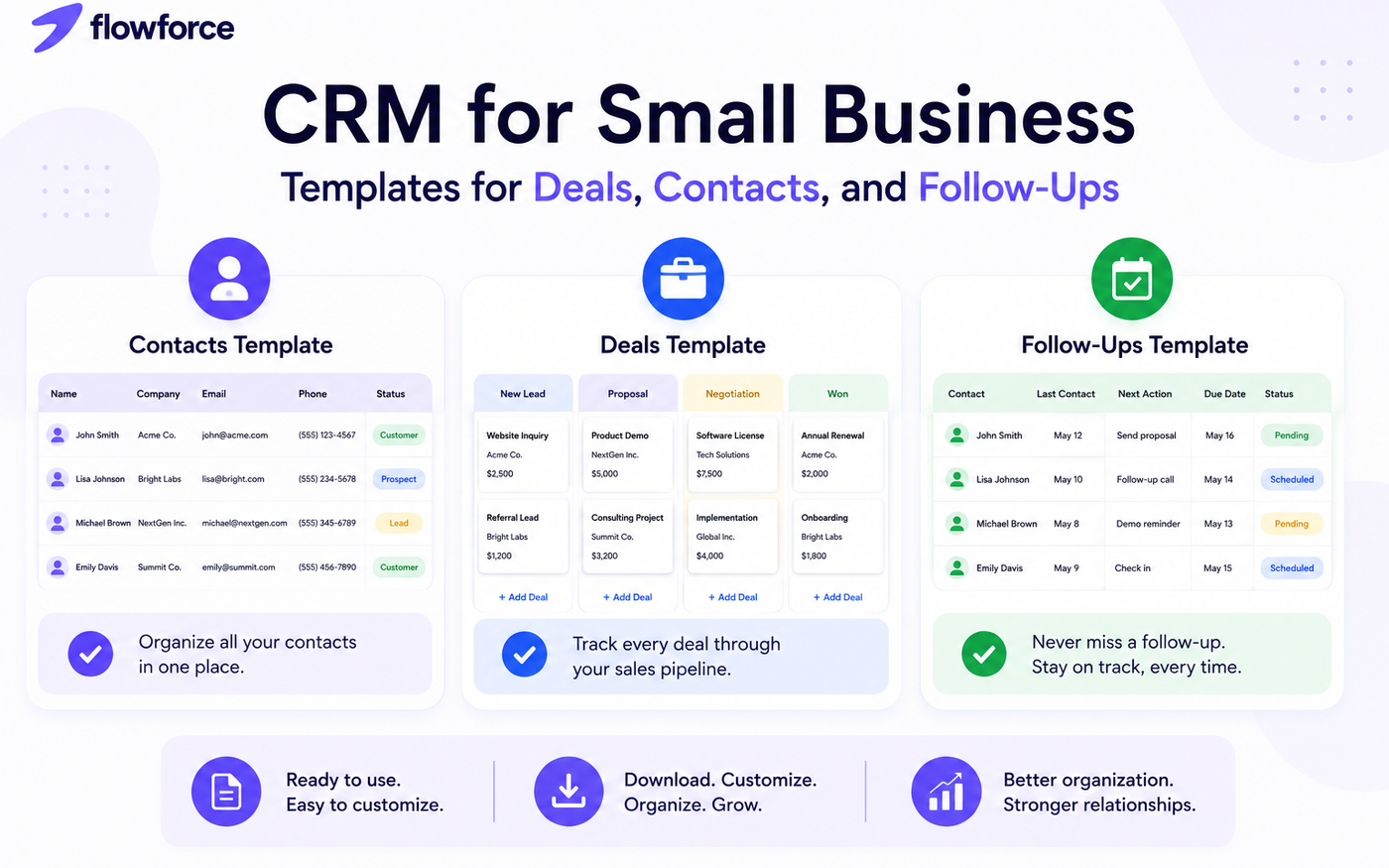
Many small businesses start by managing customers in spreadsheets. At first, it works. But as leads increase, follow-ups become more frequent, and customer information grows, spreadsheets quickly become difficult to maintain.
That's why many businesses create simple CRM templates to organize contacts, track opportunities, and manage follow-ups.
In this guide, we'll share practical CRM templates you can start using today and explain when it makes sense to move from spreadsheets to a dedicated CRM platform.
Why Small Businesses Need CRM Templates
Without a structured system, businesses often struggle with:
- Lost leads
- Missed follow-ups
- Duplicate contacts
- Scattered customer information
- Poor visibility into sales opportunities
CRM templates provide a simple framework for organizing customer relationships before investing in more advanced tools.
Template #1 – Contact Management Template
Every CRM starts with contact management. Use the following fields to build a centralized customer database.
| Field | Purpose |
|---|---|
| Contact Name | Customer name |
| Company | Business name |
| Primary email address | |
| Phone Number | Contact number |
| Industry | Customer industry |
| Lead Source | Where they came from |
| Status | Lead, Prospect, Customer |
| Last Contact Date | Most recent interaction |
| Next Follow-Up | Scheduled action |
| Notes | Additional information |
Why It Matters
A complete contact record helps teams quickly understand customer history and improve communication.
Template #2 – Sales Pipeline Template
A sales pipeline helps businesses track opportunities through each stage of the buying process.
Suggested Pipeline Stages
| Stage | Description |
|---|---|
| New Lead | Initial inquiry received |
| Contacted | First outreach completed |
| Qualified | Good fit confirmed |
| Proposal Sent | Quote or proposal delivered |
| Negotiation | Active discussions |
| Won | Customer acquired |
| Lost | Opportunity closed unsuccessfully |
Pipeline Tracking Fields
| Field | Example |
|---|---|
| Opportunity Name | ABC Company Expansion |
| Estimated Value | $5,000 |
| Stage | Proposal Sent |
| Owner | Sarah |
| Close Date | July 15 |
| Notes | Decision expected next week |
Why It Matters
Pipeline visibility helps businesses understand where revenue opportunities exist and where deals are getting stuck.
Template #3 – Follow-Up Tracking Template
Most sales are lost because follow-ups never happen. A simple follow-up tracker can dramatically improve consistency.
| Contact | Last Contact | Next Action | Due Date | Status |
|---|---|---|---|---|
| John Smith | June 5 | Send proposal | June 8 | Pending |
| Sarah Jones | June 3 | Follow-up call | June 10 | Scheduled |
| Mike Brown | June 1 | Demo invitation | June 7 | Completed |
Best Practice
Every contact should always have a next action assigned.
If there is no next action, there is usually no progress.
Template #4 – Customer Activity Log
Keeping a record of interactions helps teams stay informed.
| Date | Contact | Activity | Outcome |
|---|---|---|---|
| June 1 | ABC Company | Discovery Call | Interested |
| June 3 | ABC Company | Product Demo | Requested Proposal |
| June 7 | ABC Company | Proposal Review | Negotiating |
Benefits
- Better customer context
- Improved collaboration
- More personalized communication
- Faster onboarding for new team members
Template #5 – Lead Qualification Worksheet
Not every lead deserves equal attention. A simple qualification template helps prioritize opportunities.
| Question | Answer |
|---|---|
| Budget Available? | Yes |
| Decision Maker Identified? | Yes |
| Need Confirmed? | Yes |
| Timeline Defined? | No |
| Good Fit? | Yes |
Why It Matters
Qualification prevents teams from spending excessive time on opportunities unlikely to close.
The Limitations of CRM Templates
Templates are useful, but they have limitations. As businesses grow, spreadsheets often create new problems:
Duplicate Data
Information becomes inconsistent across files.
Manual Updates
Every change requires human effort.
Limited Collaboration
Multiple users can create confusion and errors.
No Automation
Follow-ups depend entirely on memory and discipline.
Poor Visibility
Managers struggle to see overall sales performance.
For a deeper look at what dedicated software adds beyond spreadsheets, see client management software for small businesses.
When It's Time to Upgrade to a CRM
You may have outgrown templates if:
- Leads are being missed
- Multiple people manage customers
- Follow-ups are inconsistent
- Reporting takes too long
- Customer information is scattered
- Revenue forecasting is difficult
These are strong indicators that a dedicated CRM can provide significant value.
Use our small business CRM checklist to evaluate vendors before you switch — 12 questions plus a scorecard.
Still deciding between a contact tool and full CRM? Read customer management software vs CRM first.
How FlowForce Replaces CRM Spreadsheets
FlowForce gives small businesses the benefits of CRM templates without the manual work.
Instead of maintaining separate spreadsheets, teams can:
- Manage contacts in one place
- Track opportunities visually
- Monitor follow-ups automatically
- Record customer activity
- Collaborate across teams
- Generate reports instantly
Everything stays connected and up to date.
Compare platforms in our best CRM for small business guide when you're ready to move beyond templates.
Frequently Asked Questions
Can I use spreadsheets as a CRM?
Yes. Many small businesses begin with spreadsheets. However, they often become difficult to manage as customer data grows.
What should a CRM template include?
At a minimum:
- Contact records
- Opportunity tracking
- Follow-up management
- Activity history
Are CRM templates free?
Most spreadsheet-based CRM templates are free and can be customized to fit specific business needs.
When should I move from templates to CRM software?
Businesses should consider CRM software when manual tracking becomes time-consuming or leads begin slipping through the cracks.
Stop Managing Customers Across Multiple Spreadsheets
Templates are a great starting point, but growing businesses need a system that keeps contacts, opportunities, and follow-ups connected.
See how FlowForce helps small businesses manage customer relationships without the spreadsheet chaos.