Every sales team has a process.
The question is whether it is documented — or living in everyone's head.
Without clearly defined pipeline stages, opportunities become difficult to track. Reps interpret progress differently, managers struggle to forecast revenue, and promising deals quietly stall without anyone noticing.
A well-designed CRM pipeline gives every opportunity a clear path from the first conversation to a closed deal.
In this guide, you will learn how pipeline stages work, why they matter, and how to build a sales process that your entire team can follow consistently.
If you are still deciding what kind of system you need, start with customer management software vs CRM — pipeline stages only matter once you are tracking real opportunities, not just contacts.
What Are CRM Pipeline Stages?
Pipeline stages represent the major milestones a prospect moves through before becoming a customer.
Instead of simply tracking whether someone is a lead or a customer, pipeline stages answer an important question: what should happen next?
Every stage should represent a meaningful change in the sales conversation — not just a date or a feeling. If two stages feel interchangeable to your reps, merge them.
Why Pipeline Stages Matter
Clearly defined stages help teams:
- Understand where every opportunity stands
- Standardize the sales process across reps and regions
- Improve forecasting with stage-weighted pipeline
- Prioritize follow-ups based on stage age and value
- Identify stalled deals before they go cold
- Coach sales reps with stage-specific playbooks
Without standardized stages, every salesperson may define progress differently — making reporting unreliable and pipeline reviews painful.
Stages work best when paired with structured activity logging. See call outcomes in your CRM for how dispositions tie into stage movement.
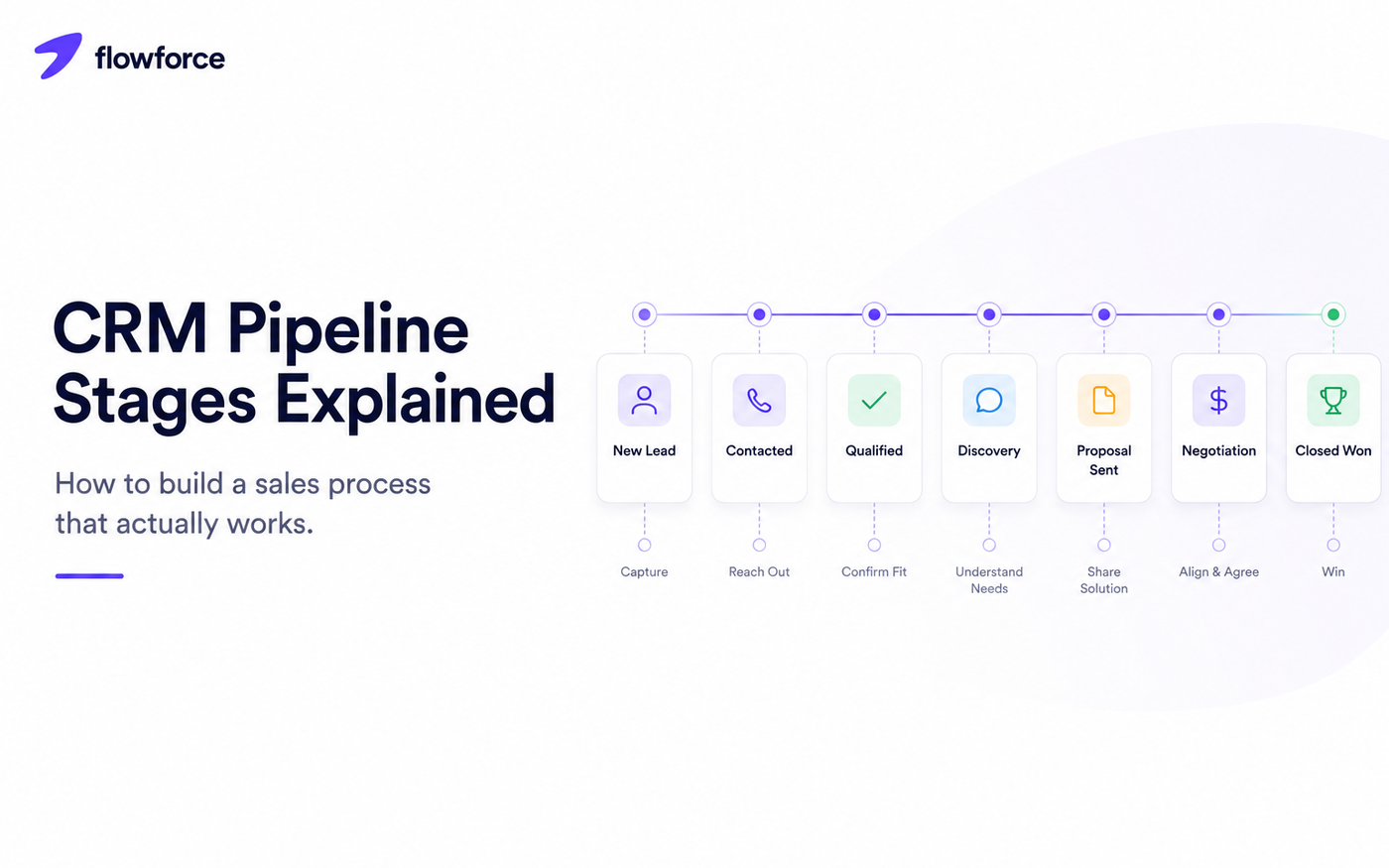
A Simple CRM Pipeline That Works
Most growing businesses do not need fifteen pipeline stages. A simple structure is usually more effective because reps actually use it.
Each stage below exists for a reason — not as a checkbox, but because something verifiable changed in the deal.
| Stage | Purpose | Why it exists |
|---|---|---|
| New Lead | Contact created | Captures inbound or outbound interest before anyone has reached out |
| Contacted | Initial outreach completed | Proves the team made first touch — idle leads surface here |
| Qualified | Good fit confirmed | Filters out bad-fit opportunities early so forecasting stays honest |
| Discovery | Needs discussed | Documents that pain, budget, and timeline were explored — not assumed |
| Proposal Sent | Pricing or proposal shared | Marks the shift from exploration to commercial evaluation |
| Negotiation | Terms being discussed | Signals active buying conversation, not passive consideration |
| Closed Won | Customer acquired | Triggers onboarding handoff and win analysis |
| Closed Lost | Opportunity ended | Preserves lost reasons for coaching and win-rate analysis |
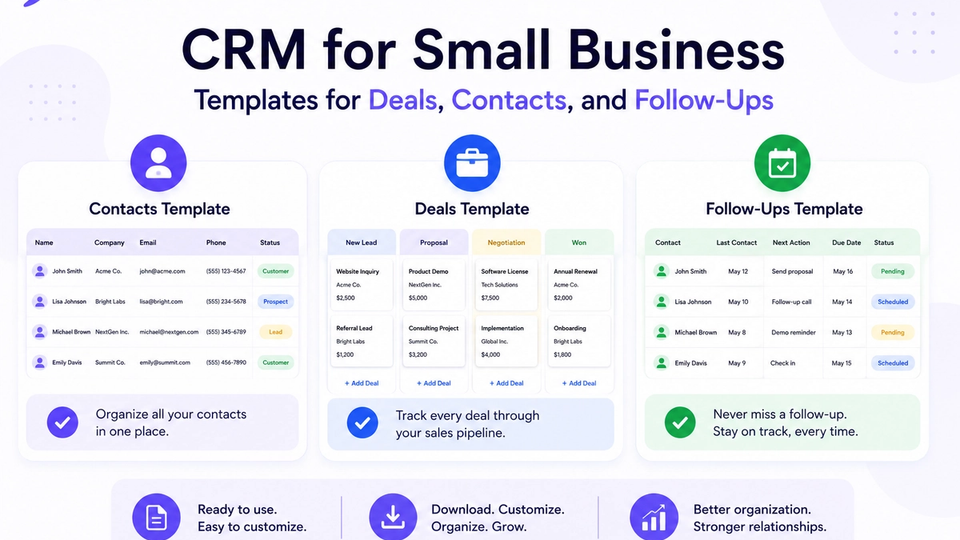
Use CRM templates for deals, contacts, and follow-ups to align stage names and fields before rolling out to the full team.
What Should Move a Deal to the Next Stage?
One of the biggest mistakes teams make is moving deals based on optimism instead of evidence. Every stage should have a clear exit criterion — the proof that the conversation advanced.
Qualified
Move only after:
- Budget range or authority to spend was discussed
- Decision maker or buying committee was identified
- Business need was confirmed — not just polite interest
Proposal Sent
Move only after:
- Proposal or pricing was delivered to the buyer
- Prospect confirms receipt (email reply, portal view, or call)
Negotiation
Move only after:
- Active discussions about pricing, scope, or contract terms have begun
- Both sides are exchanging terms — not just waiting on a signature
Clear criteria create consistency across the sales team. Managers can coach to the criterion, not argue about labels.
Signs Your Pipeline Has Too Many Stages
More stages do not necessarily create better visibility. Warning signs include:
- Reps skip stages because the process feels bureaucratic
- The same stage means different things to different people
- Reporting becomes confusing — no one trusts the funnel chart
- Managers cannot identify bottlenecks (deals pile up everywhere)
- Opportunities stay in one stage for weeks with no next action
For many businesses, six to eight stages are enough. If you need more granularity, consider separate pipelines for different motions instead of one overloaded funnel.
Common Pipeline Mistakes
Confusing lead status with deal stage
A lead status describes the relationship — new, nurturing, customer, churned. A pipeline stage describes where an active sales opportunity sits in your sales process. These are not the same field, and merging them breaks both reporting and automation.
No exit criteria
If reps decide when to move opportunities based on intuition, your reporting quickly loses accuracy. Document exit criteria in a one-page playbook and review adherence in weekly pipeline meetings.
Forgotten deals
Without reminders and follow-up tasks, opportunities can sit untouched for weeks. Stage changes should trigger tasks — not rely on memory.
Inside sales teams should pair stage hygiene with power dialer best practices so high call volume does not create high admin debt.
Too many closed stages
Keep closed reporting simple. Usually Closed Won and Closed Lost are sufficient. Extra closed substages rarely improve coaching and often confuse dashboards.
Automate the Routine
Modern CRMs can automate many repetitive pipeline actions. Examples include:
- Creating follow-up tasks when a deal enters a new stage
- Updating deal owners on assignment rules
- Sending meeting confirmations when discovery is scheduled
- Moving deals after completed activities (demo held, proposal viewed)
- Notifying managers when opportunities exceed stage SLA thresholds
Automation helps keep the pipeline moving while reducing manual work — but only after stages and exit criteria are defined. Automating a broken process just scales the confusion faster.
Pipeline Health Metrics to Watch
A healthy pipeline is not just about the number of deals. Monitor metrics such as:
- Average time in each stage
- Conversion rate between stages
- Stalled opportunities (no activity past your SLA)
- Win rate by source and rep
- Lost reasons on Closed Lost records
- Follow-up task completion rate
- Average sales cycle length
These metrics reveal where your sales process needs improvement — whether the bottleneck is qualification, proposal turnaround, or negotiation follow-through.
CRM Pipeline Examples for Different Industries
The exact stages differ by industry, but the principle remains the same: every stage should represent a measurable milestone, not a mood.
SaaS
Lead
  ↓
Discovery
  ↓
Demo
  ↓
Proposal
  ↓
Negotiation
  ↓
Won
SaaS teams often add a demo stage because product validation is a hard gate before pricing conversations.
Real estate
Inquiry
  ↓
Qualified
  ↓
Property Tour
  ↓
Offer
  ↓
Under Contract
  ↓
Closed
For workflow detail beyond stage names, see real estate CRM workflows.
Professional services
Lead
  ↓
Consultation
  ↓
Proposal
  ↓
Review
  ↓
Agreement
  ↓
Won
Services firms often need a review stage because legal or procurement review sits between proposal and signature.
How Flowforce Helps Teams Build Better Pipelines
Flowforce helps businesses create clear, repeatable sales processes without unnecessary complexity.
Teams can:
- Customize pipeline stages to match their sales motion
- Track every opportunity on a shared deal board
- Assign follow-up tasks when stages or outcomes change
- Log calls, emails, SMS, and notes on one timeline
- View pipeline progress in real time across reps
- Monitor sales performance through stage and activity reporting
Instead of wondering where a deal stands, every team member can immediately understand its status and next step.
Before you buy, run through the small business CRM checklist and explore Flowforce documentation for pipeline setup.
Frequently Asked Questions
How many CRM pipeline stages should I have?
Most businesses work well with six to eight stages. Focus on meaningful milestones rather than adding unnecessary complexity.
What is the difference between a lead status and a pipeline stage?
Lead status describes the contact's overall relationship with your business, while a pipeline stage represents where an active sales opportunity is within your sales process.
Can pipeline stages be customized?
Yes. Your pipeline should reflect your sales process, provided each stage has a clear purpose and exit criteria.
Should every deal follow the same pipeline?
Generally, yes. Consistent pipelines make reporting, forecasting, and coaching much more reliable. If your business has very different sales motions, consider separate pipelines rather than overloading one with too many stages.
Build a Pipeline Your Team Can Actually Follow
A CRM pipeline is not just about tracking deals — it is about creating a repeatable sales process that everyone understands.
See how Flowforce helps growing businesses organize opportunities, automate follow-ups, and gain complete visibility into every stage of the customer journey.