Every sales team needs reminders.
The challenge is not remembering that something needs to happen — it is knowing how to organize it.
Should you create a task? Or should you schedule a calendar event?
Although they often appear side by side in modern CRMs, they serve very different purposes.
Understanding when to use each one helps your team stay organized, improves follow-up consistency, and keeps your sales process running smoothly.
This pairs with your follow-up automation workflows — tasks and events are often what those workflows create.
What Is a CRM Task?
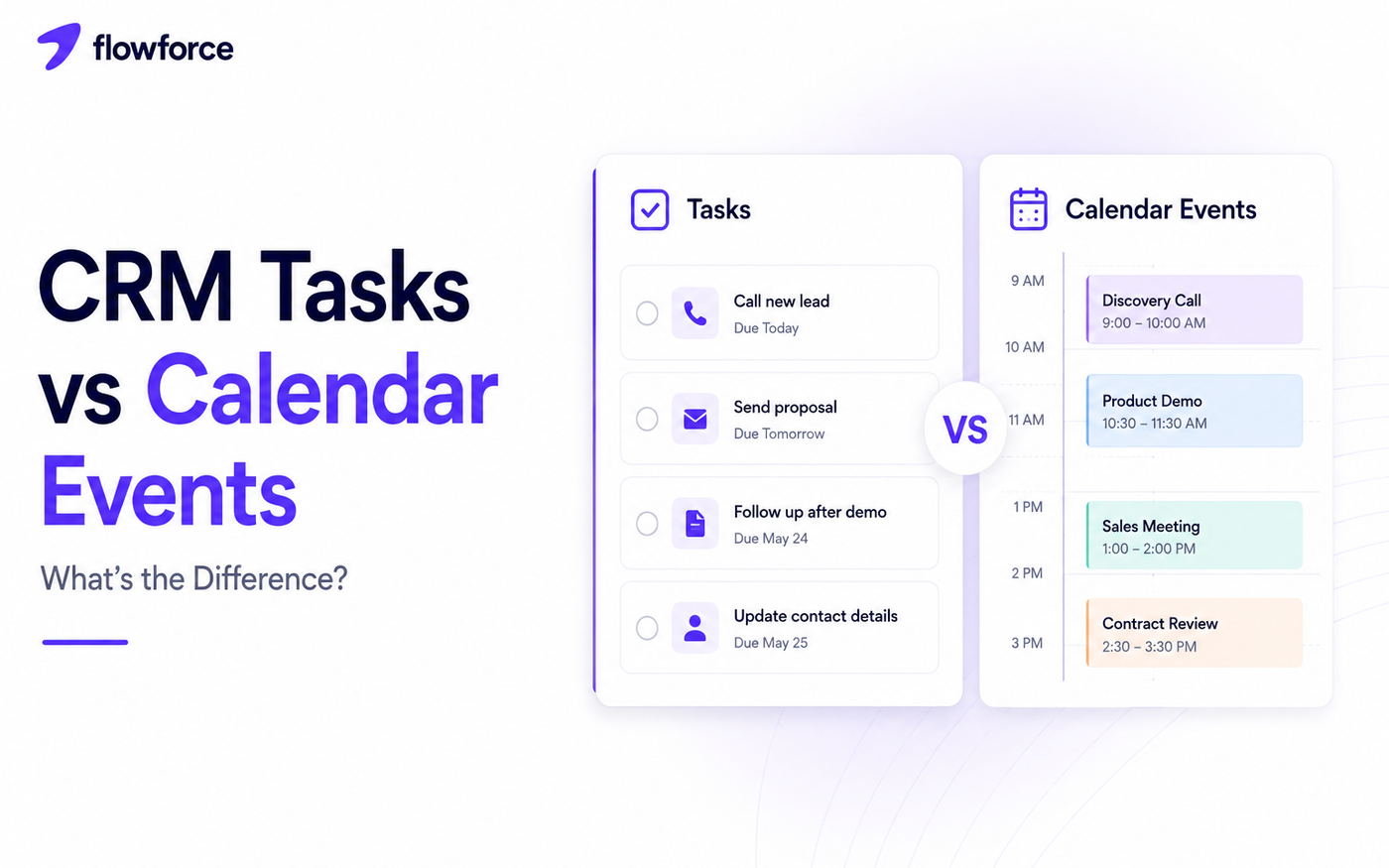
A task represents work that needs to be completed.
Tasks are action-oriented and usually do not require a specific meeting time.
Examples include:
- Call a prospect
- Send a proposal
- Follow up after a demo
- Update contact details
- Review a contract
- Qualify a new lead
A task answers one question: what needs to be done?
What Is a Calendar Event?
A calendar event reserves time.
It represents something scheduled to happen at a specific date and time.
Examples include:
- Sales meeting
- Product demo
- Discovery call
- Customer onboarding session
- Contract review meeting
- Internal pipeline review
A calendar event answers: when is it happening?
CRM Tasks vs Calendar Events
| Tasks | Calendar events | |
|---|---|---|
| Purpose | Action to complete | Time reserved |
| Timing | Can be done anytime before due date | Happens at a fixed time |
| Best for | Follow-ups and execution | Scheduling and attendance |
| Pattern | Often repeatable | Usually time-specific |
| Focus | Getting work done | Showing up on time |
When to Create a Task
Create a task when someone needs to take action.
Examples:
- Follow up after a meeting
- Call a new lead after routing assignment
- Review pricing before sending a quote
- Prepare a proposal
- Send requested information
Tasks help ensure important work does not get forgotten — especially when they appear on the activity timeline.
Log the outcome when the task is done — see call outcomes in your CRM.
When to Schedule a Calendar Event
Create an event when multiple people need to meet at a specific time.
Examples:
- Client presentation
- Sales demo
- Discovery session
- Weekly pipeline review
- Contract signing
Calendar events help coordinate schedules and protect focus time.
Using Both Together
The best workflows combine tasks and events.
Example: a prospect books a product demo.
Your CRM can:
- Create a calendar event for the meeting
- Create a preparation task before the demo
- Create a follow-up task after the meeting
- Remind the salesperson if follow-up has not been completed
The meeting happens once. The follow-up continues afterward.
Calendar event → demo at 2:00 PM
    ↓
Prep task → due before meeting
    ↓
Meeting held → logged on timeline
    ↓
Follow-up task → due same day
    ↓
Deal stage updated if criteria met
Stage changes belong on the opportunity — not the contact. See lead status vs deal stage.
Common Mistakes
Using events for to-do lists
Your calendar should not become a checklist. Meetings belong on calendars. Work belongs in tasks.
Using tasks for meetings
Tasks do not reserve time. Important meetings should always be scheduled as calendar events so attendees block their calendars.
No due dates
Tasks without deadlines are easy to forget. Assign realistic due dates and owners.
Missing follow-up tasks
Every meeting should generate a clear next action. Without follow-up, conversations often lose momentum.
Missing next steps is also a pipeline hygiene problem — every open deal should answer what happens next.
Best Practices
To stay organized:
- Keep meetings as events
- Keep work as tasks
- Automate recurring follow-ups where triggers are clear
- Assign every task to an owner
- Use reminders consistently
- Review overdue tasks in weekly pipeline reviews
Simple rules make your CRM easier for everyone to use.
Automating Tasks and Events
Modern CRMs can automate both. Examples include:
- Create a task after a missed call
- Schedule a meeting after qualification
- Generate follow-up reminders after demos
- Create onboarding tasks after closed-won deals
- Notify owners before upcoming meetings
Automation reduces manual work while keeping the sales process moving.
Automations should respect pipeline stage exit criteria and clear ownership from lead routing rules.
How Flowforce Keeps Work Organized
Flowforce helps teams manage both tasks and calendar events without confusion.
With Flowforce, you can:
- Create and assign tasks with due dates and owners
- Schedule meetings connected to contacts and deals
- Track upcoming activities in one workspace
- Automate reminders when SLAs are at risk
- Connect tasks to contacts and opportunities
- View customer history alongside upcoming work on the timeline
Everything stays connected, making it easier to know what needs to happen — and when.
Every completed task and meeting should appear on your CRM activity timeline for full context.
Explore setup in Flowforce documentation or book a demo to see tasks and calendar together.
Frequently Asked Questions
What is the difference between a CRM task and a calendar event?
A task represents work that needs to be completed, while a calendar event reserves time for a scheduled meeting or appointment.
Should follow-ups be tasks or events?
Most follow-ups are better managed as tasks. If the follow-up includes a scheduled meeting, create both a task and a calendar event.
Can a CRM automate tasks and calendar events?
Yes. Many CRMs automatically create tasks and meetings based on workflow rules or pipeline changes.
Why should not I use calendar events for everything?
Calendars are designed for scheduling time. Filling them with reminders and to-do items makes it harder to see actual meetings and commitments.
Keep Your Team Organized Without the Guesswork
The right workflow is not just about remembering what to do — it is about knowing when to do it.
See how Flowforce helps your team manage tasks, schedule meetings, and automate follow-ups from one organized workspace.