Winning more deals is not just about generating more leads.
It is about getting the right lead to the right salesperson as quickly as possible.
When leads sit unassigned — or end up with the wrong rep — response times increase, opportunities are missed, and customer experience suffers.
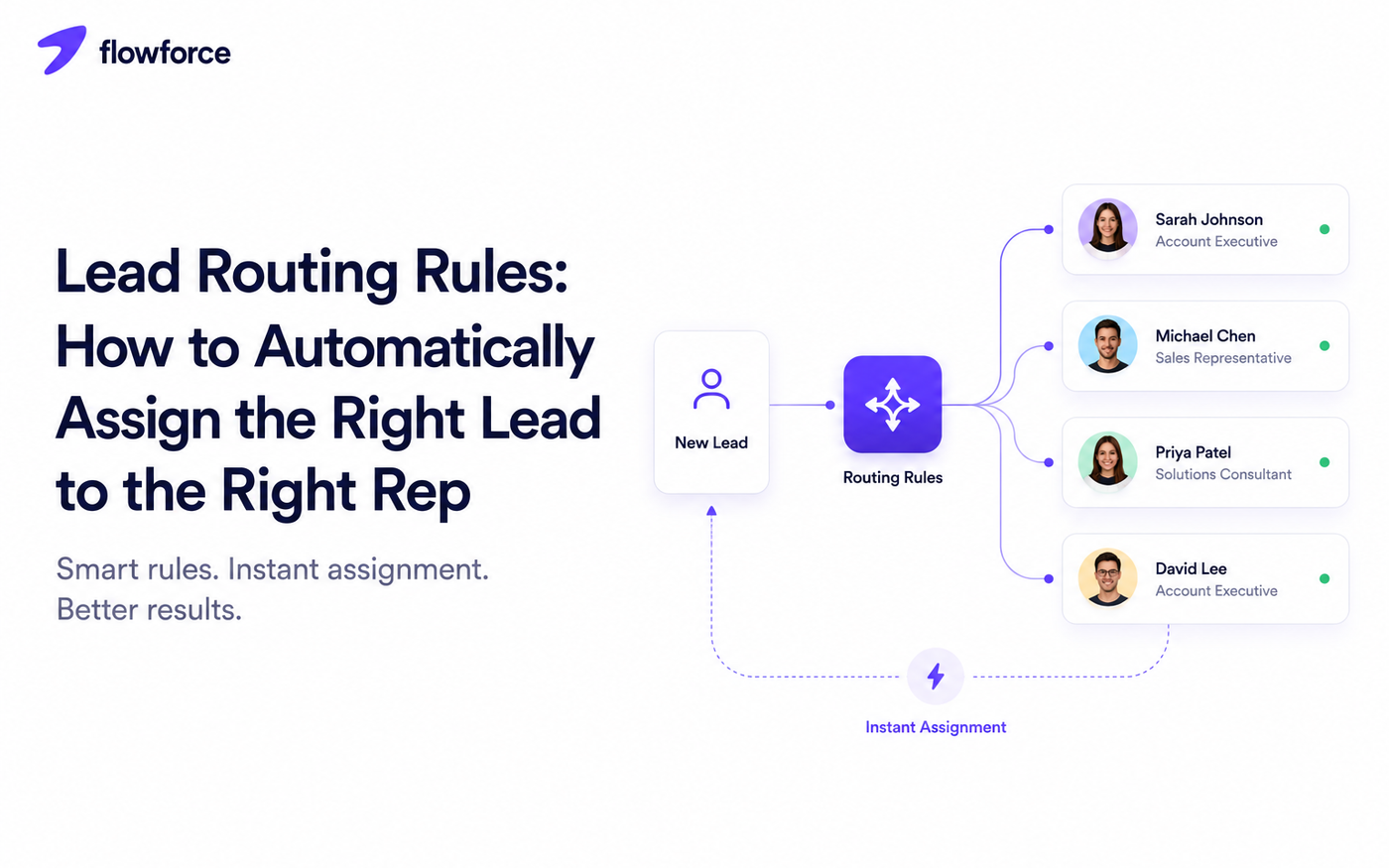
Lead routing solves this problem by automatically assigning incoming leads based on predefined rules.
Instead of manually deciding who should handle every inquiry, your CRM can route each lead to the person best equipped to convert it.
In this guide, we explain how lead routing works, common routing strategies, and how to build a process that scales with your sales team.
Once ownership is clear, the next question is pipeline structure — see CRM pipeline stages explained for how deals should move after assignment.
What Is Lead Routing?
Lead routing is the process of automatically assigning new leads to the appropriate salesperson or team.
Rather than relying on manual assignment, the CRM evaluates predefined rules and determines ownership instantly.
Good lead routing improves:
- Response speed — the rep knows immediately
- Lead quality — specialists handle the right fit
- Sales productivity — less time debating ownership
- Customer experience — fewer handoffs and delays
- Team accountability — every lead has a named owner
Why Manual Lead Assignment Does Not Scale
Manually assigning leads might work when your business receives only a handful of inquiries each week.
As volume grows, problems quickly appear:
- Delayed responses while someone decides who owns the lead
- Uneven workloads when the fastest responder grabs everything
- Duplicate ownership when two reps both follow up
- Missed follow-ups when no one claims the record
- Human error routing enterprise leads to junior reps
Automation removes these bottlenecks by ensuring every lead is assigned consistently — the same way, every time.
Common Lead Routing Rules
Different businesses require different routing strategies. Start with one primary rule and add exceptions only when reporting proves you need them.
| Rule | How it works | Best for |
|---|---|---|
| Round robin | Each new lead goes to the next rep in rotation | Balanced workloads and small teams |
| Geographic territory | Assign by country, state, city, or postal code | Real estate, insurance, field sales |
| Product or service | Route to specialists by offering interest | Multi-product companies |
| Company size | Enterprise to AEs, SMB to inside sales | Segmented sales motions |
| Industry | Match vertical expertise (healthcare, construction, etc.) | Specialist-led selling |
| Existing customer | Return inquiries to the current account owner | Retention and expansion |
Round robin
Each new lead is assigned to the next available salesperson in rotation. Simple, fair, and easy to explain — which is why many teams start here.
Best for balanced workloads, small sales teams, and equal opportunity distribution.
Geographic territory
Leads are assigned based on location — country, state, city, postal code, or custom sales territory.
Common in real estate, insurance, and field sales where local knowledge affects close rates.
See how territory routing fits into broader real estate CRM workflows.
Product or service
Assign leads to specialists based on what the customer is interested in — CRM software, marketing services, consulting, or support tiers.
Company size
Enterprise opportunities may require senior account executives, while smaller businesses can be assigned to SMB specialists who move faster on shorter cycles.
Industry
Route leads based on vertical expertise — healthcare, construction, manufacturing, professional services, education. Specialists close faster because they speak the customer's language.
Existing customer ownership
If a customer already has an account manager, new inquiries should usually return to that same person. Continuity strengthens relationships and prevents awkward re-introductions.
How a Typical Lead Routing Workflow Looks
A simple workflow might look like this:
Form submitted
    ↓
CRM creates contact
    ↓
Routing rules evaluated
    ↓
Lead assigned automatically
    ↓
Rep notified
    ↓
Follow-up task created
    ↓
Pipeline stage updated
The process happens in seconds without manual intervention. Speed at assignment only matters if reps act on it — pair routing with SLA alerts for time to first response.
New reps should learn this workflow on day one — see inside sales onboarding for scripts and cadences that follow assignment.
What Makes a Good Routing Strategy?
The best routing strategy is:
- Fast — assignment in seconds, not hours
- Consistent — same logic every time
- Fair — workloads stay balanced over a week, not just a day
- Easy to understand — reps can explain why they got the lead
- Easy to maintain — rules do not require a flowchart to update
Complicated routing rules often create confusion instead of efficiency. Start simple and refine over time based on conversion data.
Mistakes to Avoid
Assigning leads manually
Manual assignment slows response times and creates inconsistencies. If volume justifies a CRM, it justifies routing rules.
Creating too many rules
If nobody understands the routing logic, it becomes difficult to manage, debug, and improve. Prefer one primary rule with a short exception list.
Ignoring rep capacity
The highest-performing salesperson should not automatically receive every lead. Balanced workloads improve long-term performance and prevent burnout.
Not tracking response time
Fast assignment only matters if reps actually follow up quickly. Monitor time to assignment, time to first response, and lead conversion rate by source and owner.
Structured call outcomes in your CRM make response-time reporting trustworthy.
Lead Routing and CRM Automation
Lead routing becomes even more powerful when combined with automation. Examples include:
- Assign follow-up tasks when ownership changes
- Notify sales reps instantly via email, SMS, or in-app alert
- Schedule reminder activities if no contact within your SLA
- Move opportunities into the correct pipeline or stage on assignment
- Alert managers if a lead is not contacted within a set time
Together, routing and automation reduce delays while improving consistency — the operational layer that turns a contact database into a sales system.
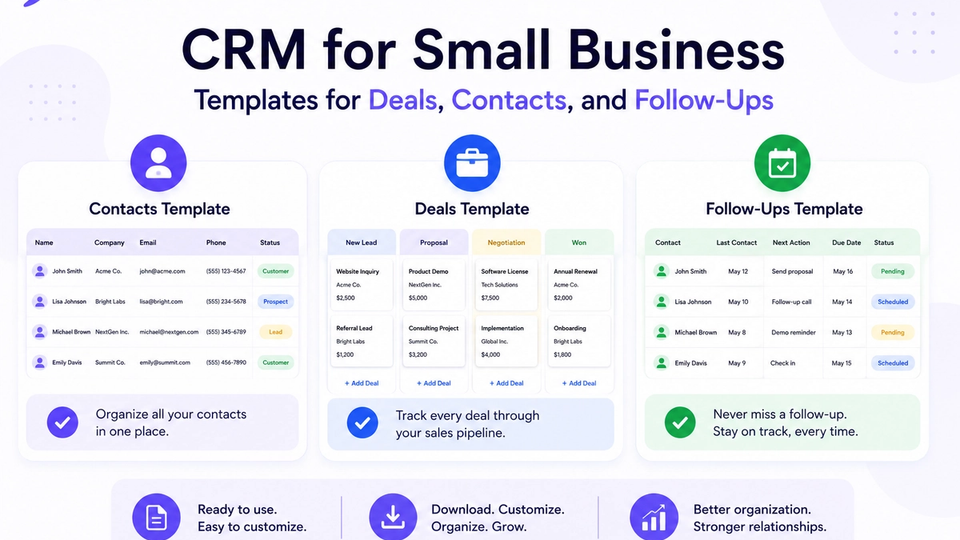
Align automation with your stage definitions using CRM templates for deals, contacts, and follow-ups.
Real-World Examples
SaaS company
Enterprise leads route to account executives with longer sales cycles. Small business leads route to SMB inside sales with faster qualification playbooks.
Real estate brokerage
Property inquiries route based on listing location or agent territory so the rep who knows the neighborhood makes first contact.
Professional services
Healthcare prospects go to one consultant; manufacturing prospects go to another. Specialists close deals faster because they understand the customer's regulatory and operational context.
How Flowforce Simplifies Lead Routing
Flowforce helps businesses automate lead assignment so every inquiry reaches the right person without manual intervention.
Teams can:
- Automatically assign new leads by round-robin or custom rules
- Create follow-up tasks when assignment completes
- Notify the assigned rep instantly
- Track ownership across the pipeline
- Monitor response times and SLA breaches
- View assignment history and activity on one timeline
Instead of wondering who should contact a prospect, everyone knows exactly who owns the next step.
Evaluating whether you need routing at all? Read customer management software vs CRM and explore Flowforce documentation for assignment setup.
Frequently Asked Questions
What is lead routing?
Lead routing is the process of automatically assigning incoming leads to the appropriate salesperson or team using predefined rules.
What is the most common lead routing method?
Round robin is one of the most widely used methods because it distributes leads evenly across the sales team with minimal configuration.
Should lead routing be automated?
For most growing businesses, yes. Automation reduces delays, improves consistency, and helps ensure every lead receives timely attention.
Can lead routing improve conversion rates?
Yes. Faster responses and assigning leads to the most appropriate representative often improve customer experience and increase the likelihood of conversion.
Every Lead Deserves the Right Owner
The faster the right salesperson responds, the better the customer experience — and the better your chances of closing the deal.
See how Flowforce helps teams automate lead routing, assign follow-ups, and keep every opportunity moving without manual work.