Not all inside sales dialers work the same way. If your team is evaluating outbound sales software, you have probably seen two common modes: parallel dialers and power dialers.
Both reduce manual dialing, but they solve different problems. Choosing the wrong mode can hurt productivity, create a poor prospect experience, or add unnecessary complexity.
In this guide, we explain how each dialer works, where each performs best, and how to decide which fits your team — without treating one mode as universally better.
What Is a Power Dialer?
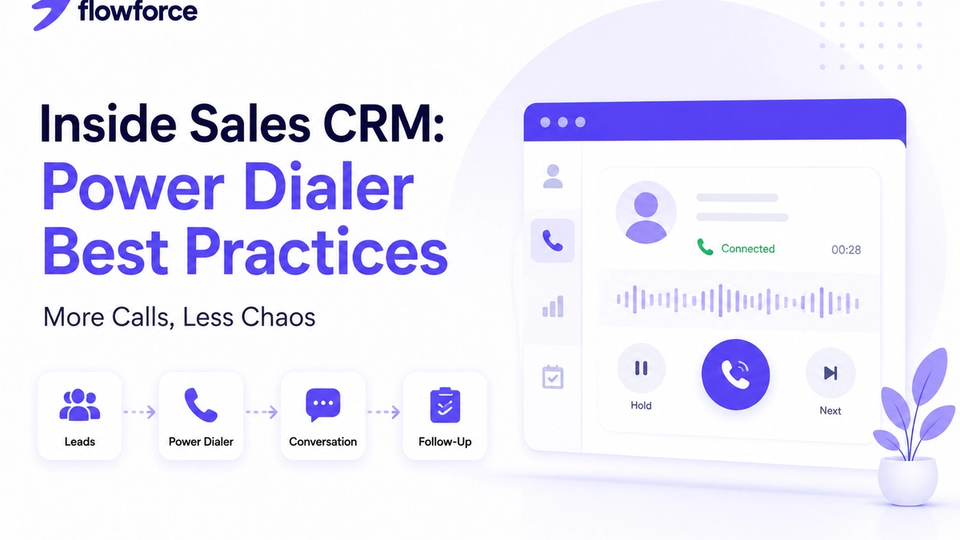
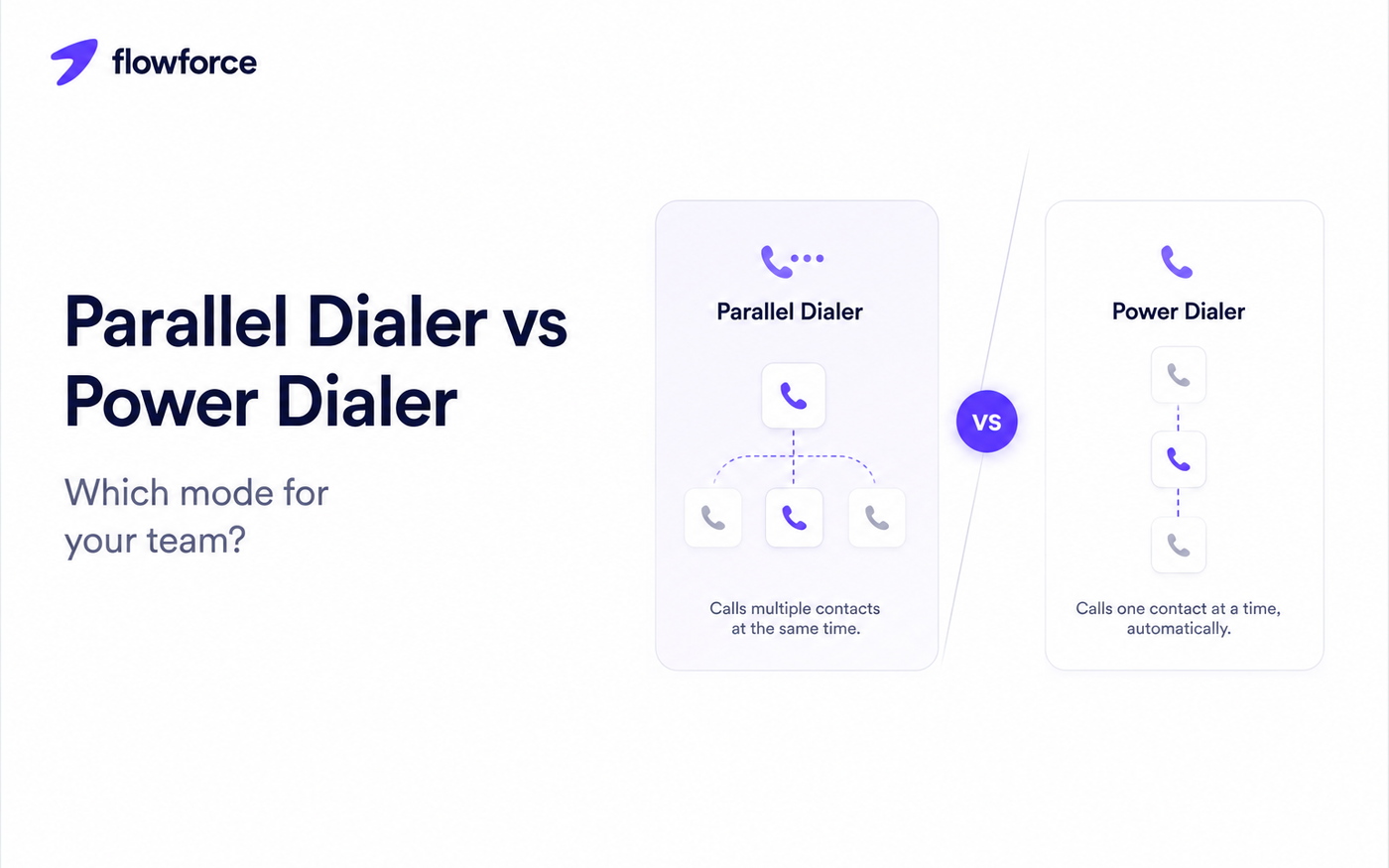
A power dialer automatically calls the next prospect after the previous call ends. The rep is connected before the conversation begins — idle time drops, but only one outbound call is live at a time.
Typical workflow:
- Finish a call
- Log notes and outcome
- Complete follow-up task
- Automatically dial the next contact
Power dialers prioritize conversation quality while still increasing daily call volume.
For rollout best practices, see inside sales CRM power dialer best practices.
What Is a Parallel Dialer?
A parallel dialer places multiple outbound calls at the same time. When someone answers, the system connects the first available rep and drops the remaining unanswered legs.
This can maximize connection rates and minimize rep wait time — but it requires careful configuration, team training, and compliance with applicable calling regulations.
Power Dialer vs Parallel Dialer
| Feature | Power dialer | Parallel dialer |
|---|---|---|
| Calls placed | One at a time | Multiple simultaneously |
| Rep wait time | Low | Very low |
| Call volume | High | Very high |
| Prospect experience | More personal | Less personal |
| Call logging | Excellent (when CRM-integrated) | Excellent (when CRM-integrated) |
| Best for | Relationship selling | High-volume outbound |
| Learning curve | Lower | Higher |
When a Power Dialer Is the Better Choice
Power dialers work well when conversation quality and preparation matter as much as volume.
Often a strong fit for:
- B2B inside sales and SDR teams
- Account executives with named accounts
- Real estate ISAs and agents
- Financial services and insurance
- SaaS sales with discovery calls
Benefits include:
- More preparation before each dial
- Better note-taking and call outcomes
- Easier follow-ups on the same record
- Stronger relationships with fewer dropped prospects
When a Parallel Dialer Makes Sense
Parallel dialers target maximum outbound throughput — connection rate over personalization.
Common use cases:
- Large outbound sales floors
- High-volume appointment-setting teams
- Call centers with short scripts
- Collections and market research
The focus is reaching as many prospects as possible while minimizing agent idle time.
Factors to Consider Before Choosing
Before selecting a sales dialer comparison winner for your team, ask:
- How personalized must each conversation be?
- How many calls does each rep make daily?
- How important is prep time before each dial?
- Do you need detailed CRM notes after every interaction?
- Are compliance and consent rules a concern?
- Is your priority conversation quality or raw connection volume?
Your answers should drive the decision — not a feature checklist from a vendor landing page.
Common Mistakes Sales Teams Make
- Choosing a parallel dialer for relationship-based selling
- Measuring success only by dials, not meetings booked
- Skipping call notes to move faster through the queue
- Not integrating the dialer with your CRM
- Failing to review outcomes and follow-up completion rates
The most productive teams balance efficiency with meaningful customer interactions.
Why CRM Integration Matters
Regardless of dialing mode, your CRM should remain the center of the sales process.
A connected CRM dialer lets your team:
- Automatically log calls on the timeline
- Record structured call outcomes
- Schedule follow-ups with owners and due dates
- Update deal stages from dispositions
- View complete customer history before the next dial
- Monitor activity across reps and managers
Define dispositions first — see call outcomes in your CRM.
How Flowforce Supports Efficient Outbound Sales
Flowforce combines CRM, cadences, inbox sync, and browser-based calling — including power and parallel dialing — on one activity timeline.
Teams use Flowforce to:
- Manage contacts and leads in one workspace
- Track every call, email, and SMS interaction
- Log call outcomes tied to next actions
- Schedule follow-ups and cadence steps
- Monitor pipeline progress with manager visibility
- Review activity reports without exporting three tools
Whether you run power mode for discovery calls or parallel blocks for high-volume prospecting, customer context stays centralized.
Onboarding new dialer users? Use our inside sales onboarding Day 1 playbook.
Evaluating your wider stack? Read Apollo vs all-in-one CRM and customer management software vs CRM.
Frequently Asked Questions
What's the difference between a power dialer and a parallel dialer?
A power dialer calls one prospect at a time after each conversation ends. A parallel dialer places multiple calls simultaneously and connects the first answered call to an available rep.
Which dialer is better for B2B sales?
Many B2B inside sales teams prefer power dialers for preparation, personalized conversations, and follow-up tracking — though high-volume SDR pods sometimes use parallel mode with tight scripts.
Is a parallel dialer always faster?
Parallel dialers can increase connection rates, but they are not the best fit for every process. Match the mode to your motion and compliance requirements.
Do I still need a CRM if I use a sales dialer?
Yes. The dialer makes calling efficient; the CRM holds records, outcomes, follow-ups, and pipeline history.
Choose the Right Tools for Better Sales Conversations
The best sales teams do not just make more calls — they make every conversation count.
See how Flowforce helps your team track activities, manage follow-ups, and keep every opportunity moving forward from one central workspace.