Most sales opportunities are not lost because of poor conversations.
They are lost because nobody follows up.
A prospect requests a demo. An email goes unanswered. A proposal sits untouched. A reminder is forgotten.
These small gaps add up — and they can cost your team valuable revenue.
Follow-up automation helps eliminate those gaps by turning repetitive tasks into reliable workflows. Instead of relying on memory, your CRM ensures every lead receives the right next step at the right time.
In this guide, we explore seven practical automation workflows that every growing sales team should consider.
This is the fourth article in our Modern CRM Workflow cluster — after pipeline stages, lead routing, and the activity timeline.
What Is Follow-Up Automation?
Follow-up automation is the process of using your CRM to automatically trigger tasks, reminders, notifications, or communications after a customer interaction.
Rather than manually creating every follow-up, the system handles repetitive actions based on predefined rules.
The goal is not to replace personal communication — it is to ensure important steps never get missed.
Why It Matters
Consistent follow-ups help teams:
- Respond faster to inbound interest
- Reduce manual work on repetitive admin
- Improve customer experience with predictable next steps
- Increase accountability with named owners and due dates
- Keep opportunities moving through the pipeline
- Standardize the sales process across reps
Automation provides consistency while allowing sales representatives to focus on conversations rather than administration.
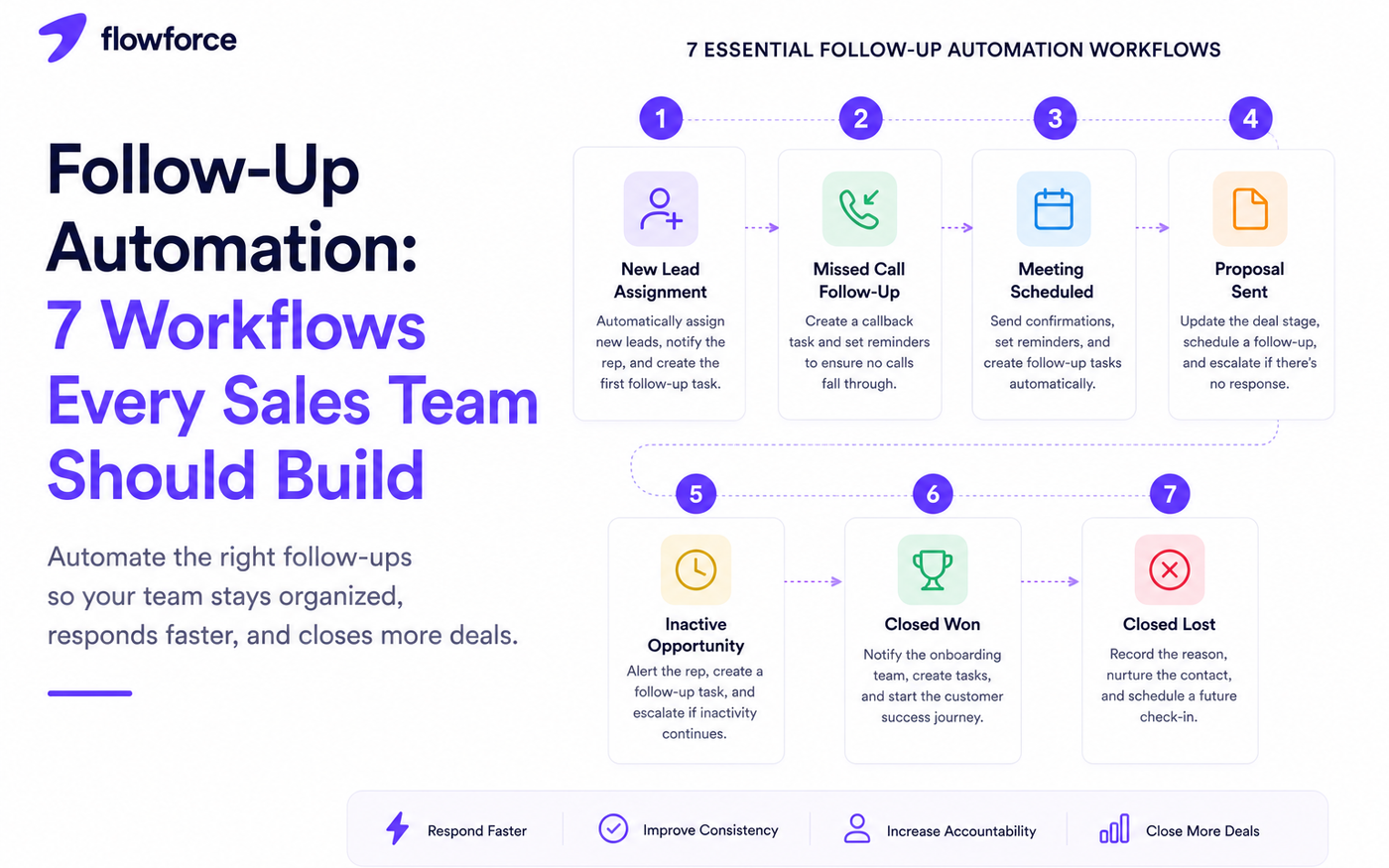
Workflow 1: New Lead Assignment
Trigger: a new lead enters the CRM.
Automation:
- Assign the lead to a salesperson using routing rules
- Notify the assigned rep instantly
- Create a first-response follow-up task
- Set the initial pipeline stage
This ensures every inquiry has an owner from the start — the foundation of a reliable sales process.
Define routing logic first in lead routing rules before you automate assignment.
Workflow 2: Missed Call Follow-Up
Trigger: a customer call is missed or goes to voicemail.
Automation:
- Create a callback task with a due time
- Notify the salesperson
- Record the activity on the timeline
- Set a reminder if no callback occurs within your SLA
This helps prevent missed opportunities caused by unanswered calls — especially for inside sales teams running high dial volume.
Pair with structured call outcomes in your CRM so voicemail and no-answer dispositions trigger the right workflow.
Workflow 3: Meeting Scheduled
Trigger: a meeting is booked with a prospect or customer.
Automation:
- Send a confirmation email
- Create or sync a calendar event
- Schedule reminder notifications before the meeting
- Prepare a post-meeting follow-up task
Customers stay informed, and sales reps remain organized without manual calendar juggling.
Workflow 4: Proposal Sent
Trigger: a proposal is delivered to the buyer.
Automation:
- Update the deal stage when exit criteria are met
- Schedule a follow-up reminder for the deal owner
- Notify the rep that the proposal window is open
- Escalate to a manager if no response after your defined period
This keeps proposals from sitting idle — one of the most common silent deal killers.
Move stages only when criteria are met — see CRM pipeline stages explained.
Workflow 5: Inactive Opportunity
Trigger: no activity has been recorded for a defined number of days.
Automation:
- Notify the salesperson that the deal is stalling
- Flag the opportunity as inactive in reporting
- Create a re-engagement follow-up task
- Alert a manager if inactivity continues past a second threshold
This helps identify stalled deals before they are forgotten — pipeline hygiene by automation instead of weekly memory.
Stalled deals should be visible on the CRM activity timeline before managers discover them in a spreadsheet.
Workflow 6: Closed Won
Trigger: a deal is marked as won.
Automation:
- Notify the onboarding or customer success team
- Create implementation tasks with owners
- Schedule a customer check-in after go-live
- Move the record into customer success workflows
Closing the deal becomes the beginning of a smooth customer experience — not a handoff that drops context.
Workflow 7: Closed Lost
Trigger: a deal is marked as lost.
Automation:
- Prompt the rep to record the lost reason
- Add the contact to a nurture sequence or long-term cadence
- Schedule a future check-in at an appropriate interval
- Include the opportunity in win/loss reporting
Not every lost deal stays lost forever. Automation keeps the door open without manual calendar reminders.
| Workflow | Primary trigger | First action |
|---|---|---|
| New lead assignment | Lead created | Assign owner + first task |
| Missed call | No answer / voicemail | Callback task |
| Meeting scheduled | Calendar booked | Confirmation + reminders |
| Proposal sent | Proposal delivered | Stage update + follow-up |
| Inactive opportunity | No activity N days | Re-engagement task |
| Closed won | Deal won | Onboarding handoff |
| Closed lost | Deal lost | Reason + nurture |
Best Practices for Automation
Effective automation should:
- Support your existing sales process — not invent a parallel one
- Be easy to understand so reps trust the notifications
- Reduce repetitive work without adding noise
- Keep human interactions personal on calls and emails
- Trigger only meaningful actions with clear owners
Automation should simplify work — not create unnecessary notifications.
Common Mistakes
Automating everything
Not every customer interaction should be automated. Personal conversations still matter — automation handles the admin around them.
Too many notifications
If sales reps receive dozens of alerts each day, they will eventually ignore them. Batch, prioritize, and escalate only when SLAs break.
Outdated workflows
Review automation rules quarterly to ensure they still match your sales process, stage names, and team structure.
No ownership
Every automated task should have a clearly assigned owner. Automation creates work — it should not create confusion about who acts next.
How Flowforce Simplifies Follow-Up Automation
Flowforce helps teams automate routine follow-up activities while keeping customer relationships personal.
With Flowforce, you can:
- Automatically assign leads using routing rules
- Create follow-up tasks when outcomes or stages change
- Schedule reminders and cadence steps
- Update pipeline stages when exit criteria are met
- Notify team members when SLAs are at risk
- Track every customer interaction on one timeline
- Keep opportunities moving through consistent workflows
Instead of relying on memory, your team follows a repeatable process that scales as your business grows.
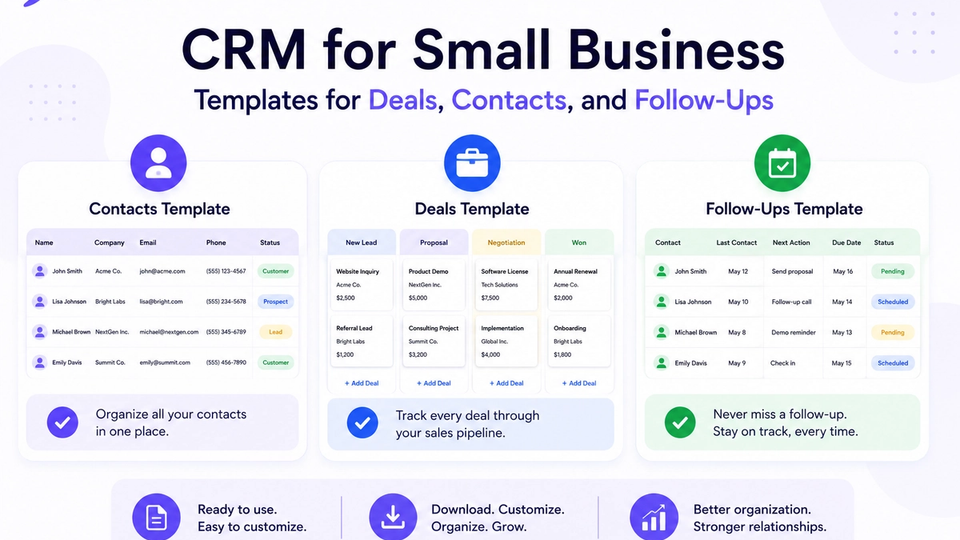
New reps should learn these workflows on day one — see inside sales onboarding. Standardize fields with CRM templates for deals, contacts, and follow-ups and explore Flowforce documentation for automation setup.
Frequently Asked Questions
What is follow-up automation?
Follow-up automation uses CRM workflows to automatically create tasks, reminders, notifications, or other actions after customer interactions.
Can automation replace personal follow-ups?
No. Automation handles repetitive administrative work, while meaningful conversations should remain personal.
What is the first workflow every sales team should automate?
Lead assignment and first-response reminders are often the best starting point because they improve response speed and accountability.
How many automation workflows should a CRM have?
There is no fixed number. Start with a few high-impact workflows and expand as your sales process becomes more mature.
Build a Sales Process That Never Misses a Follow-Up
Great sales teams do not rely on memory — they rely on systems.
Discover how Flowforce helps automate follow-ups, organize customer interactions, and keep every opportunity moving from first contact to closed deal.